If your WordPress site has been running for a while, you already know the quiet problems: the database grows for no obvious reason, login bots keep knocking, and plugin settings pages turn into a scavenger hunt. Falcon 2.11.0 is built around those everyday frustrations - not a pile of flashy extras.
This release adds database cleanup and login attempt limits, improves a few practical details around AVIF and maintenance mode, and reorganizes the settings UI so you can find what you need faster.
When your database starts feeling heavy
WordPress is good at saving things. Revisions, unfinished drafts, spam comments, expired transients, orphaned metadata - they rarely show up in the editor, but they still sit in the database. Over months or years, that leftover data makes backups larger and the admin feel slower.
Until now, many people installed a separate cleanup plugin just for this. In Falcon 2.11.0, you can do it from Cleanup → Database.
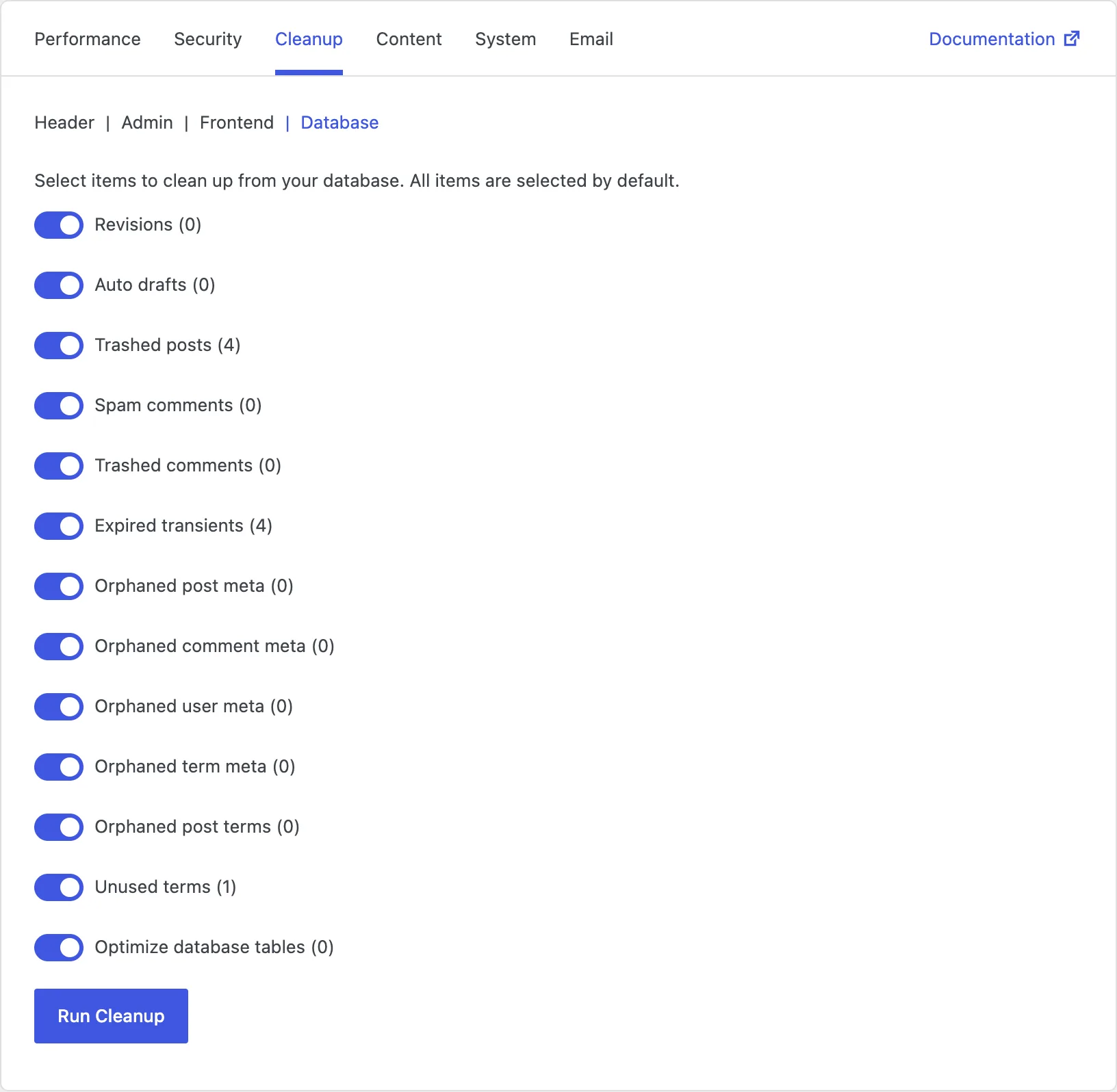
Pick what to clear, see how many items Falcon found, then run cleanup when you are ready:
- Revisions, auto drafts, and trashed posts
- Spam and trashed comments
- Expired transients
- Orphaned meta and unused terms
- Optimize database tables
It is meant for housekeeping, not guesswork. You see the counts first, so you know what you are deleting before you click.
Stop brute-force logins without another security plugin
Failed login attempts are one of the most common background noises on a public WordPress site. You do not always need a full security suite to deal with them.
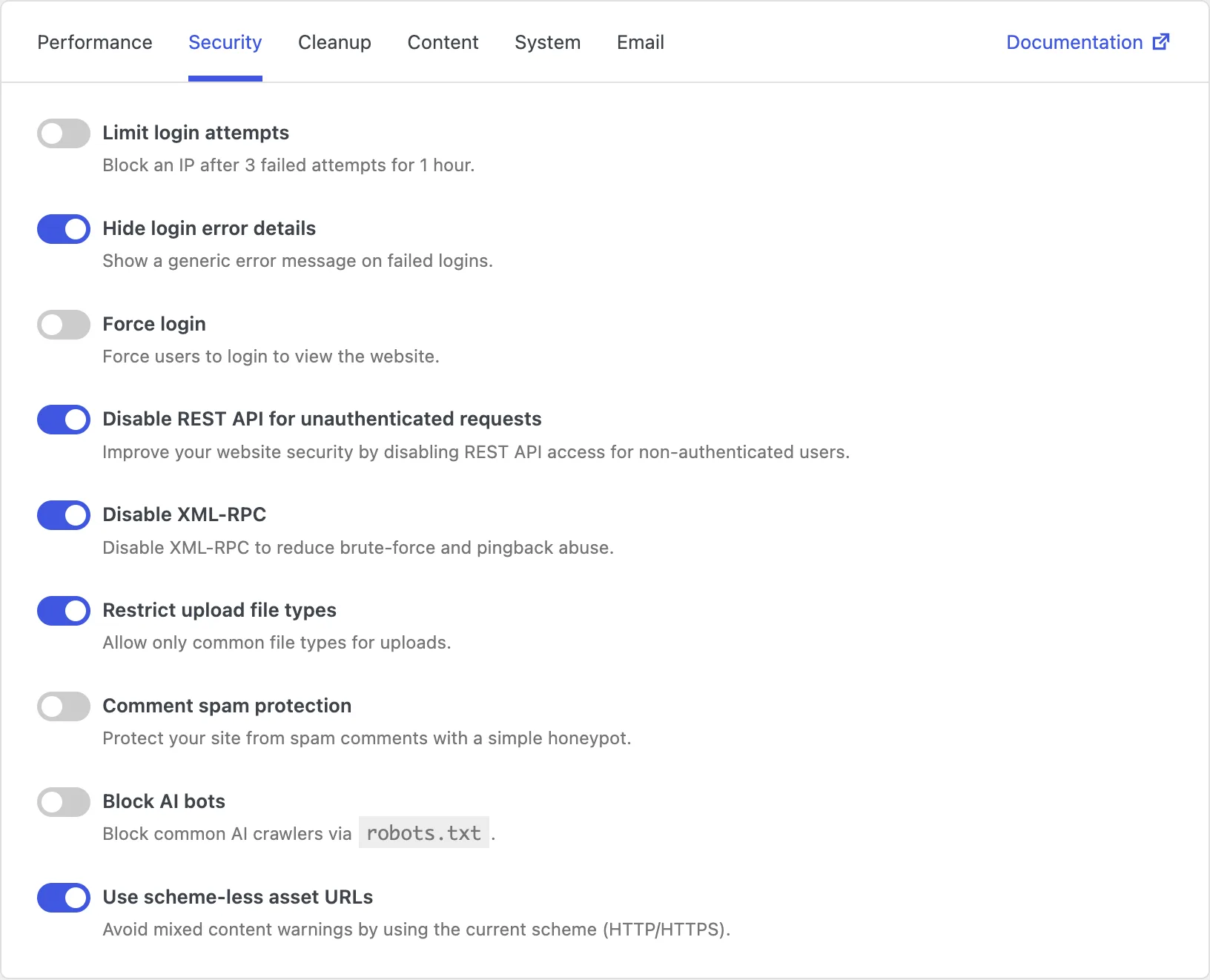
Falcon's new Limit login attempts option blocks an IP after 3 failed logins for 1 hour. Enable it under Security, alongside hiding detailed login errors, disabling XML-RPC, and comment spam protection.
Simple, predictable, and enough for a lot of sites that just want fewer automated login guesses.
Smaller images and a maintenance page that matches your site
Two smaller updates round out the feature work in this release.
If you use Restrict upload file types, Falcon now allows .avif uploads too. AVIF is often much smaller than JPEG or WebP at similar quality, so it is a useful option when your theme or workflow already supports it.
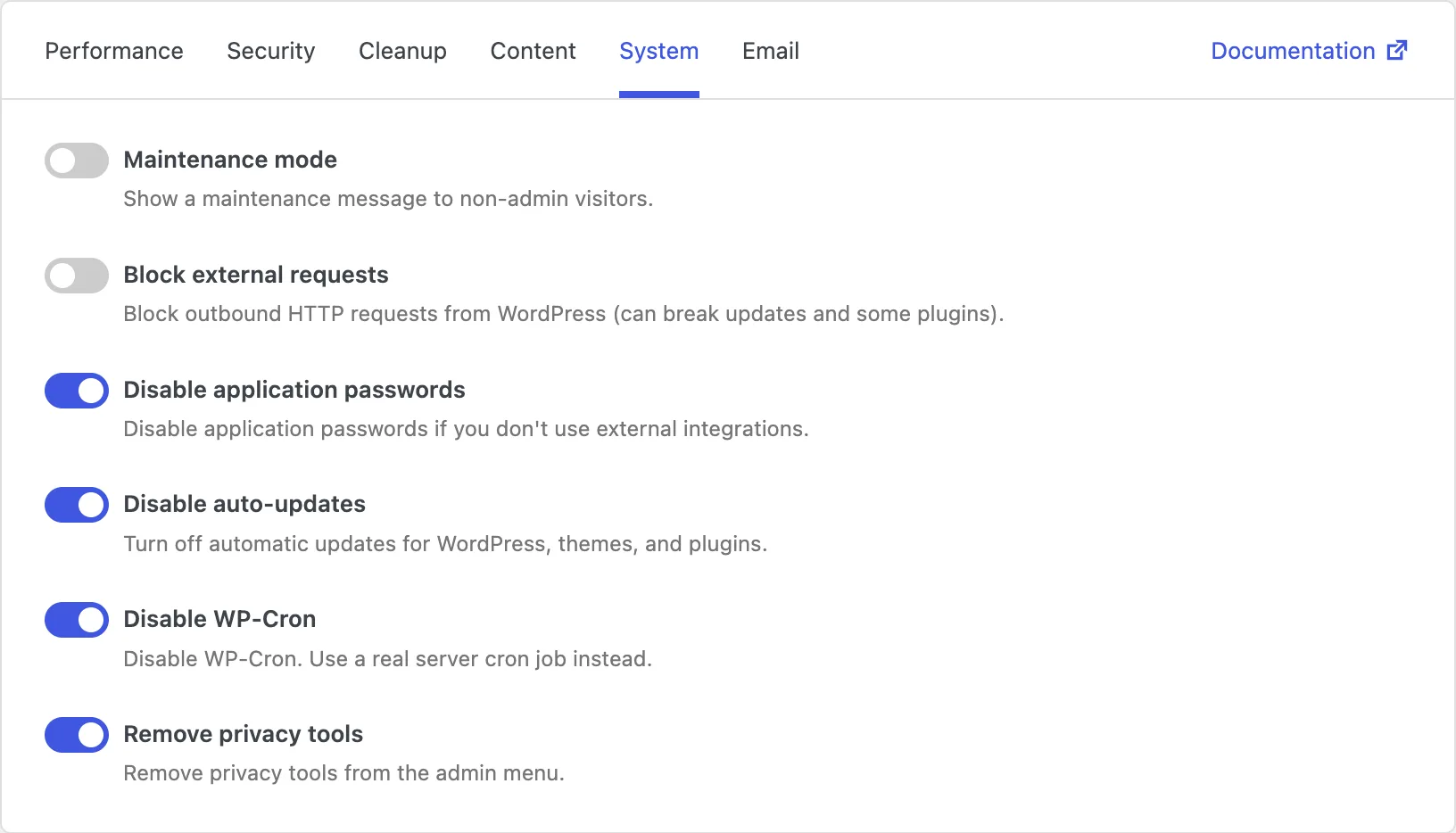
And if you turn on maintenance mode, you can customize the message with a maintenance.php file in your active theme. That way the temporary "we'll be back soon" screen can follow your site's branding instead of a generic template.
Settings that are easier to scan
As Falcon gained more options, the old layout started to feel crowded. Version 2.11.0 reorganizes everything into clearer groups:
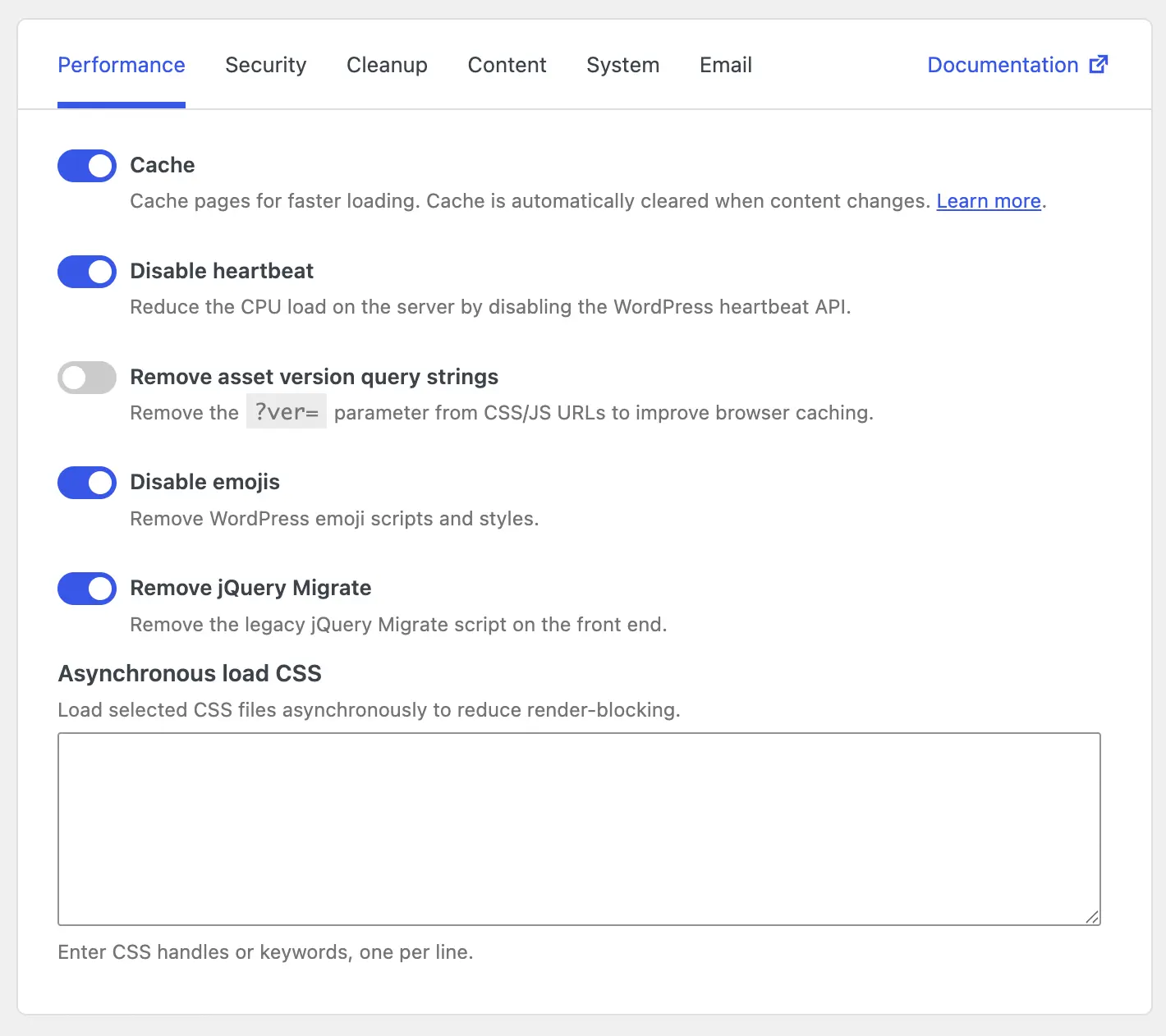
- Performance - page cache, Heartbeat, CSS/JS, emojis, jQuery Migrate
- Security - logins, REST API, XML-RPC, uploads, AI bots
- Cleanup - Header, Admin, Frontend, Database
- Content - Editor, Comments, Media, Publishing
- System - maintenance, cron, auto-updates, privacy tools
- Email - Notifications and SMTP delivery
The wording is shorter, the groups match how people look for options, and the tabs bar now links out to documentation when you want more detail.
Cache fixes worth knowing about
If you use Falcon's HTML page cache, two reliability fixes landed in this release:
- Cache clears correctly when an approved comment is inserted
- Safer handling when deleting cache files and reading request URLs on PHP 8
Nothing flashy - just the kind of detail that keeps cached pages accurate and avoids edge-case errors on newer PHP versions.
Should you update?
Yes, especially if any of this sounds familiar:
- Your site has been live for years and the database feels heavier than it should
- You want a lightweight way to limit failed logins
- You use AVIF, or want a branded maintenance screen
- You are tired of hunting through a long settings list
Falcon is still the same kind of plugin: light, modular, and easy to turn off when you do not need something. 2.11.0 just makes the useful parts easier to reach.
Update to Falcon 2.11.0, open Settings → Falcon, and walk through the new groups. Turn on what helps your site - and leave the rest off.