Publishing is not only "hit Publish." WordPress also decides what shows up in site search and whether linking to your own posts creates pingback noise. Those details are easy to overlook until they get in the way.
The Publishing options under Content in Falcon cover two common adjustments: narrowing search results, and stopping the site from pinging itself.
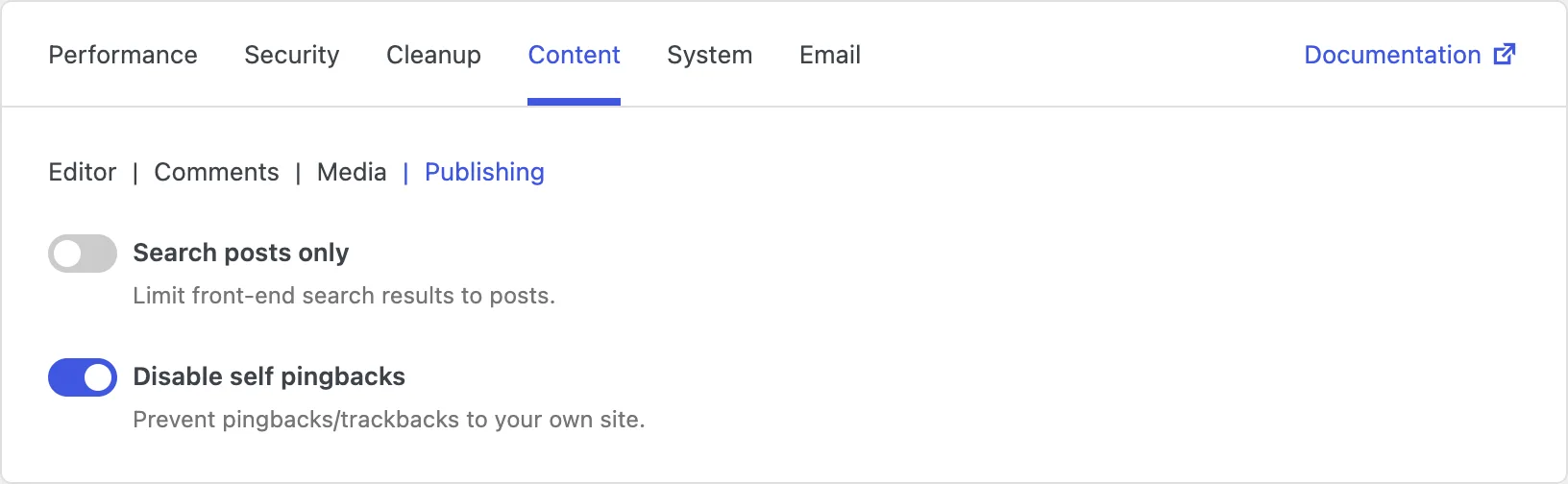
Search posts only
The built-in search box looks through posts, pages, and often other content types. On a blog-first site, that can surface About pages, contact pages, or custom items when visitors were really looking for articles.
Limiting search to posts keeps results focused on your articles and blog content. Visitors get a cleaner list of matching posts instead of a mix of every content type.
Just remember that pages and other content types will no longer appear in front-end search. If people rely on search to find static pages, leave this off or offer another way to navigate those pages.
Disable self pingbacks
When you link from one of your posts to another post on the same site, WordPress can create a pingback - a notification that basically says "this site linked to you," even though both posts are yours. Those self-pingbacks clutter the comment list and add no real value.
Disabling self pingbacks stops your site from pinging itself. Links between your own posts still work normally; you simply avoid the pointless notification trail.
This is a low-risk cleanup for almost every site that regularly cross-links its own content. External pingbacks from other sites are a separate topic - see Comments and Security if you want to reduce those as well.