Some WordPress settings sit underneath everyday publishing: how the site behaves while you work on it, whether it phones home, how updates run, and which system tools appear in the admin. Getting these wrong can break schedules or integrations - getting them right keeps the site quieter and more under your control.
The System tab in Falcon gathers those deeper switches. Turn them on only when you understand what they change, especially on a live site.
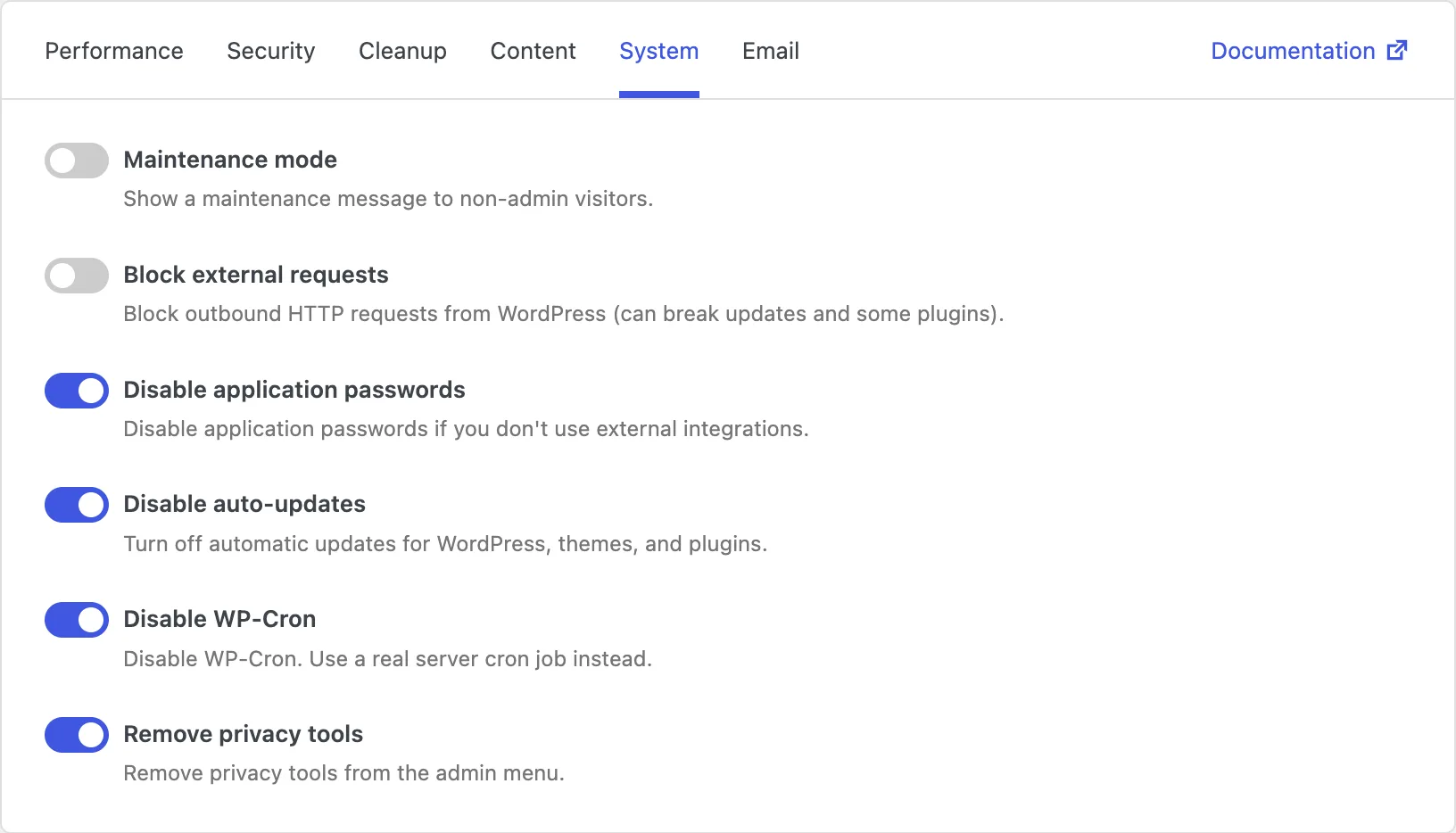
Maintenance mode
When you redesign a site, migrate hosting, or fix something fragile, you may not want the public to browse half-finished pages. Maintenance mode shows visitors a simple maintenance message instead of the normal website.
Administrators can still get in and work. Everyone else sees that the site is temporarily unavailable. Turn it on while you work, then turn it off when you are ready for the public again.
Block external requests
WordPress and many plugins regularly make outbound requests: checking for updates, loading remote data, talking to third-party services. On most sites that is normal. In locked-down environments - or when you want to stop unexpected external calls - those requests become a problem.
Blocking external requests tells WordPress to stop making outbound HTTP calls. The site becomes more self-contained.
Be aware that updates, plugin and theme installs from the directory, and many integrations may stop working. Use this when isolation matters more than convenience, such as on restricted servers or tightly controlled staging setups.
Disable application passwords
Application passwords let apps and services connect to WordPress through the API without using your main account password. That is handy for integrations - and unused on many simple sites.
If you do not use application passwords, disabling them removes one more way to authenticate into the site. Fewer unused doors usually means a smaller attack surface.
Worth noting: any integration that depends on application passwords will stop working. Leave this off if mobile apps, automation tools, or external services authenticate that way. Related API hardening also lives in the Security tab.
Disable auto-updates
WordPress can update itself, themes, and plugins automatically. That keeps many sites safer with less effort. On carefully managed sites, though, automatic updates can change things at an inconvenient moment - or before you have tested them.
Disabling auto-updates puts updates back under your control. Nothing upgrades until you choose to do it.
Just make sure someone still updates the site regularly. Turning this on without a manual update process leaves the site on older versions longer. If update emails fill your inbox, you can quiet those separately under Email → Notifications. Hiding update notices in the admin is covered in Cleanup → Admin.
Disable WP-Cron
WordPress runs scheduled tasks - publishing future posts, sending some emails, running plugin jobs - through WP-Cron. Unlike a traditional server cron, it mainly wakes up when someone visits the site. On quiet sites jobs can run late; on busy sites the extra checks add load.
Disabling WP-Cron is the right move when you replace it with a real server cron job that calls WordPress on a fixed schedule. Timing becomes predictable, and page views no longer trigger background work.
One thing to watch: if you disable WP-Cron without setting up a real cron, scheduled publishing, some emails, and other timed tasks may simply stop. Only enable this when the server-side replacement is already in place.
Remove privacy tools
WordPress includes tools for exporting and erasing personal data, aimed at privacy request workflows. If your site does not collect personal data through WordPress - or you handle privacy requests another way - those menu items may just add clutter.
Removing privacy tools clears them from the admin menu so the back office stays focused on what you actually use.
Keep in mind that you also lose the built-in export and erase workflow. If you must respond to privacy requests from WordPress user data, leave these tools available.