Every public page includes a <head> section that browsers and search tools read before the visible content. WordPress automatically adds many links and meta tags there - some useful in special cases, many unused on a modern site.
The Header options under Cleanup in Falcon let you remove those unused tags. Your HTML becomes cleaner, and you share a little less technical detail with bots and scanners. Unless noted below, removing a tag only hides it from the header - it does not turn off the related feature elsewhere.
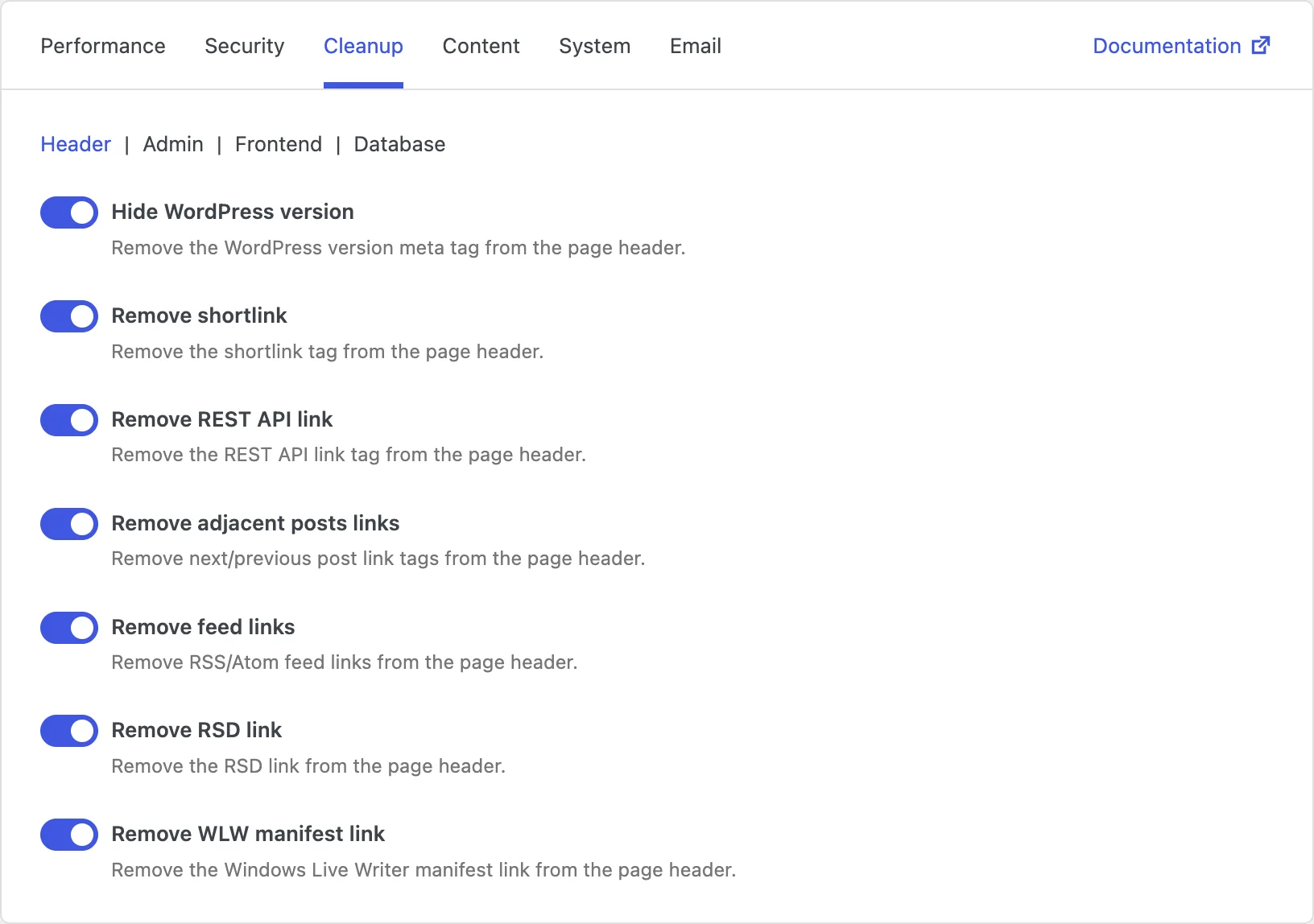
Hide WordPress version
WordPress prints a small generator tag that announces which version you are running. That is handy for debugging, but automated scanners also use it to look for known weaknesses in specific versions.
Hiding the version is a small, practical hardening step. It will not secure the site by itself, but it stops you from advertising details you do not need to share publicly.
Remove shortlink
WordPress can output a shortlink such as ?p=123 for each post or page. Most sites already use readable permalinks, so this tag is rarely useful for visitors or editors.
Removing it simply cuts one more unused line from the header and reduces noise in the page source.
Remove REST API link
WordPress adds a discovery link that points to /wp-json/. Apps that need the REST API usually already know where to find it. The public discovery link mainly makes it easier for bots to notice and probe the API.
Removing the link reduces how easily the API is advertised in every page header. This does not disable the REST API itself. If you want to restrict access for logged-out visitors, use the matching option in the Security tab.
Remove adjacent posts links
On posts, WordPress can add previous and next links in the header. In the past, these helped search engines move from one post to another. Today, sitemaps and SEO plugins usually handle discovery much better.
If you already have a sitemap or SEO plugin, these tags are often redundant. Removing them keeps the header focused on what you actually need.
Remove feed links
WordPress outputs RSS and Atom feed links for posts, comments, categories, tags, authors, and search. That is useful if you actively promote feeds. Many sites never mention feeds to visitors, so the tags just sit unused in the header.
Removing them makes feed URLs less visible in the page source. The feeds themselves still work if someone already knows the address - this only removes the header links.
Remove RSD link
RSD (Really Simple Discovery) helped older desktop blog editors detect your WordPress setup automatically. If you publish through the WordPress admin or the block editor, you almost certainly do not need it.
Removing the RSD link is a safe cleanup for most modern sites and clears another leftover from an older publishing workflow.
Remove WLW manifest link
This tag was for Windows Live Writer, a desktop writing app that is no longer relevant for most WordPress sites. Keeping the link does not help visitors, and removing it does not affect normal publishing.
Turning this off is one of the easiest cleanups: less clutter, no practical downside on a current site.